





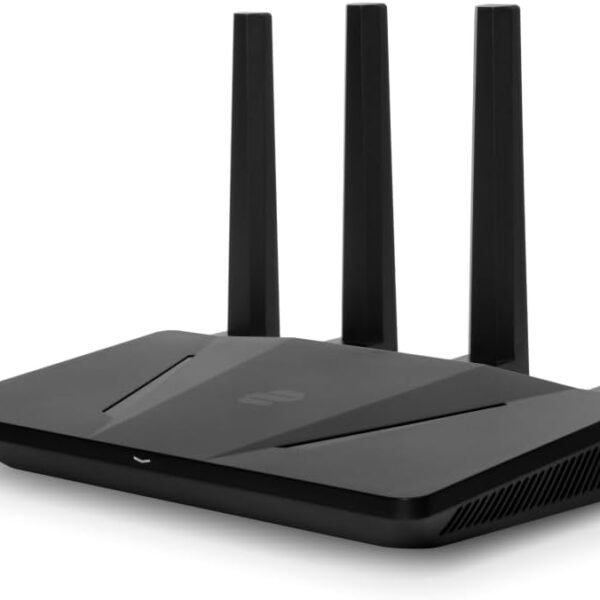
Aircove | Wi-Fi 6 VPN Router for Home | Protect Unlimited Devices | Free 30-Day ExpressVPN Trial | (U.S. & Canada Version)
Original price was: $189.90.$151.92Current price is: $151.92.
Price: $189.90 - $151.92
(as of Jun 25, 2025 22:08:48 UTC – Details)
Product Description
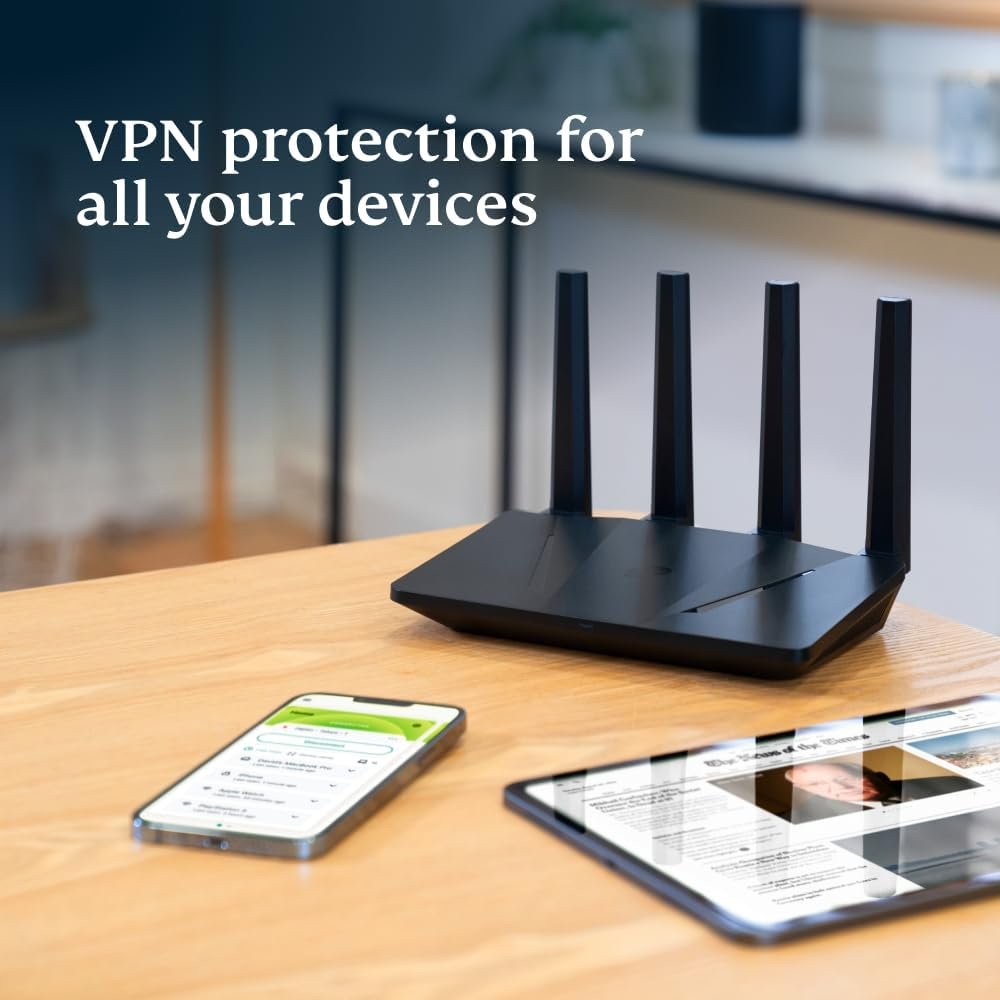
ExpressVPN Aircove is the Wi-Fi router designed for easy, always-on protection from the world’s trusted leader in VPN. Pre-installed with ExpressVPN’s proprietary software, Aircove delivers an all-in-one solution of VPN privacy and online threat protection for where it matters most: your home.
If it’s connected, it’s protected.
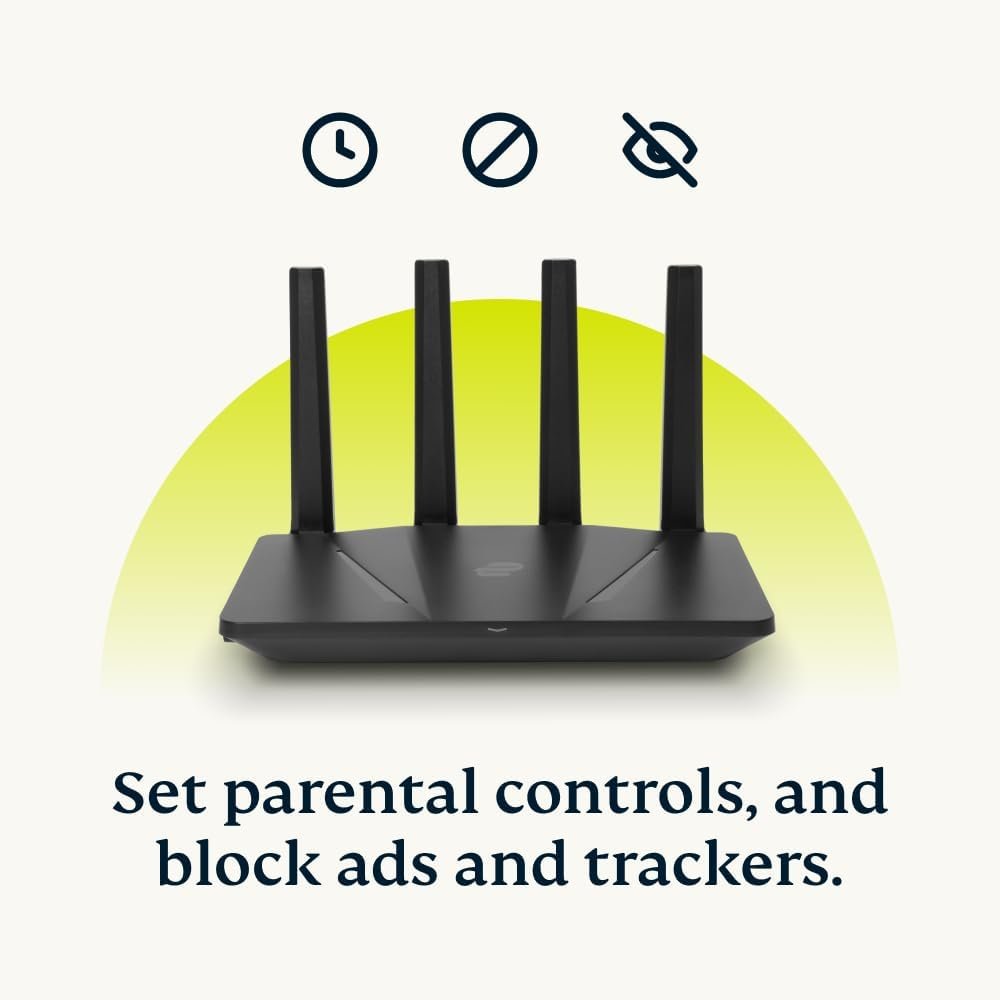
Aircove encrypts your home network and any device that connects to it—even smart TVs, baby monitors, and other smart home appliances. Aircove further protects your privacy by letting you block third-party trackers, malicious sites, and ads. It can also set time limits for internet access, putting you in control of your household devices.
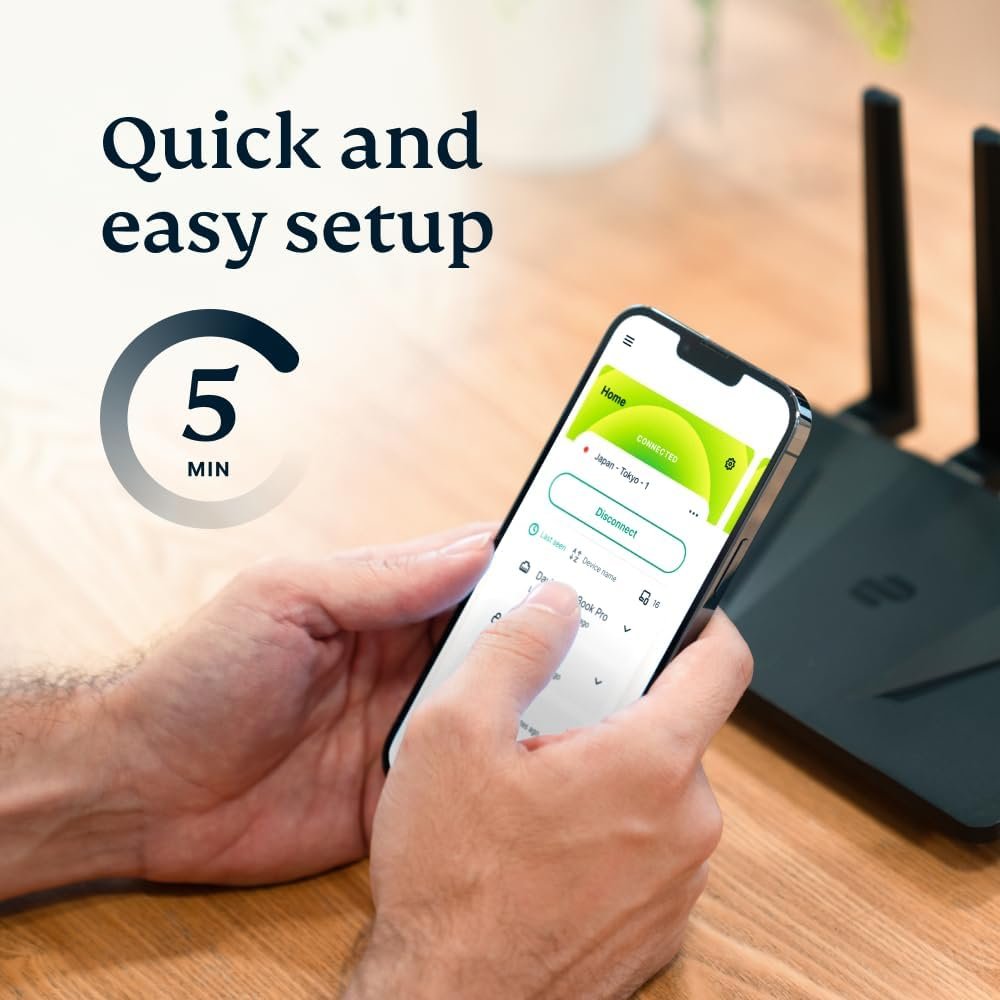
Setting up your Aircove only takes a few minutes, and controlling your connected devices is easy, thanks to a simple and intuitive dashboard on your phone or computer. Group your devices together however you want, and connect each group to a different VPN location—up to five locations at once. Or, use no VPN at all for a device group.
With fast and reliable dual-band Wi-Fi speeds of up to 1,200 Mbps and coverage of up to 1,600 sq. ft., you’ll have enough bandwidth to cover even the most device-heavy household. Meanwhile, Aircove’s high-performance quad-core CPU ensures that power users can browse, download, and stream in HD—all while enjoying VPN protection. And with ExpressVPN’s global network of next-gen 10 Gbps servers, you’ll get a reliable connection to virtually anywhere.
Get Aircove on Amazon today.
World-class, built-in VPN: Exclusively developed by ExpressVPN, the Aircove router brings all the benefits of the #1 trusted VPN service to your whole home network (when used with an active ExpressVPN subscription, sold separately). Aircove comes with a 30-day free trial for new ExpressVPN users, no credit card required.
Always-on protection, high-speed performance: Any device that connects to Aircove enjoys instant ExpressVPN protection 24/7, including smart home appliances that usually aren’t compatible with VPN software. And with dual-band Wi-Fi speeds of up to 1,200 Mbps (up to 600 Mbps for 2.4 GHz and up to 1,200 Mbps for 5 GHz) and 1,600 sq. ft. (150 sq. m) of whole-home coverage—everyone gets the performance they need.
Connect to multiple VPN locations at once: Sort your devices into groups, each with its own VPN location. Watch a game in another country, do your banking locally, and even set some devices to use no VPN at all.
Set parental controls, block ads, and protect your privacy from trackers and malicious sites. These features are always available to you, even when the VPN is not in use.
This version of Aircove only ships to the U.S. & Canada. If you’re not in the U.S. or Canada, you can get our international version of Aircove. Both versions are functionally the same.
Customers say
Customers find the router easy to set up and use, with flawless integration between the router and ExpressVPN software. They appreciate its security features, protecting all connected devices with ExpressVPN, and consider it great for VPN users. The connectivity receives mixed feedback – while some report strong signals throughout the home, others experience unreliable internet connections. Speed performance is also mixed, with some reporting very good speeds while others note a 50% speed reduction. The router’s reliability and value for money receive mixed reviews, with some finding it worth the price while others consider it high-priced junk.
7 reviews for Aircove | Wi-Fi 6 VPN Router for Home | Protect Unlimited Devices | Free 30-Day ExpressVPN Trial | (U.S. & Canada Version)
Related products

32GB FRAMEO 10.1 Inch Smart WiFi Digital Photo Frame 1280×800 IPS LCD Touch Screen, Auto-Rotate Portrait and Landscape, Built in 32GB Memory, Share Moments Instantly via Frameo App from Anywhere
In stock



Hisense 75-Inch Class U6 Series Mini-LED ULED 4K UHD Google Smart TV (75U6N, 2024 Model) – QLED, Motion Rate 240, HDR 10+, Full Array Local Dimming, Game Mode Plus, Alexa Compatibility
In stock

I16 PROMAX Unlocked Phone,8+256GB Smartphone, Android 13.0, Long Battery Life 7000mAh,6.99″ Display 68+108MP Zoom Camera,with Dual SIM, Fingerprint Lock, Face ID, 5G Phone (White)
In stock

LG QNED85 Series 86-Inch Class QNED Mini-LED Smart TV 86QNED85UQA, 2022 – AI-Powered 4K , Alexa Built-In, Grey
In stock


Moto G Stylus 5G | 2024 | Unlocked | Made for US 8/256GB | 50MP Camera | Caramel Latte
In stock


Steven W Albrecht –
ExpressVPN Aircove router in-depth review
My initial two months of using the Aircove router from ExpressVPN have been very positive, and I recommend it as a general-purpose secure router that is extremely simple to set up.Jumping on the introductory discount of the ExpressVPN Aircove was a snap decision as a continuing expressVPN subscriber. It fit all the requirements I has for an internal home router. I already had a two-year-old WiFi5/WPA2 mesh router which provides adequate coverage in my 1300 sq-ft split-level home without requiring any satellite routers, but I wanted to move to WPA3 security for my devices that support it and VPN coverage for devices that that couldn’t run expressVPN.1. SecurityNow that all of our phones and laptops support WPA3, it was time to move to make the painless upgrade to our WIFI security. I routinely noted unknown devices probing my WiFi5/WPA2 router and figured that a concerted attack was just a matter of time. I continue to use that router as my edge router for untrusted devices that I own such as smart TVs and smart home switches used for trivial functions like outdoor holiday lighting. Since most of these devices are confined to the GUEST network, penetration of any one of them is of little concern.2. ConvenienceI found the Aircove’s setup to be the easiest I’ve ever encountered after several decades of using routers from industry leaders. It was literally a 5-minute process.An even bigger convenience factor is that the expressVPN software running on the router eliminates the frequent task of downloading and installing expressVPN updates to stay-at-home devices. I have yet to verify that the expressVPN in the router auto-updates, but even if that claim is not met, updating it manually is still a great time saver over updating my many devices with several different Operating Systems.PerformanceAs a non-gamer, I do not choose to pay for 1Gb internet service. Still, I like getting the bandwidth that I’m paying for even while protecting my devices with a VPN. Having the router spend cycles doing the the encryption and decryption degrades latency vrs having no VPN but has little effect on throughput, and allows those CPU cycles to freed up on all my devices that no longer have to run the VPN to get that protection while in my home. Given all this, a serious gamer should have a high-performance gaming router as the edge router but may want to seriously consider the Aircove as an internal router for a non-gaming network of devices.SupportAlthough this is expressVPN’s first foray into selling routers, there is reason to expect better support for this product since most of it’s users are paying $100/yr for the expressvpn subscription.Hardware QualityAlthough not a huge name in the home router market, the Chinese company that manufactures the hardware has a solid reputation for quality and support.PriceAt roughly half the price of comparatively powerful WiFi6/WPA3 routers that run ExpressVPN or anything of comparable quality, this purchase was a no-brainer.FeaturesAs I indicated before, the lack of GUEST network support is justified by the main goals of this router, but is alleviated when used as an internal router where an edge router supplies a GUEST network. The Aircove is also poor in the bells and whistles such as Parent Controls. Having no minor children in my home makes that a non-issue, besides, if I didn’t trust my children, they would be confined to the edge router or even to it’s GUEST network.There is no suite of security tools such as some companies provide on the premier routers, but I never found such to be very useful compared to just having a modicum of vigilance in reviewing your connection logs.The Aircove sports four ethernet ports in addition to the WAN port, which should be plenty in the WiFi-intensive world we live in. If not, unmanaged switches are very inexpensive.There is no USB port, which I also consider reasonable for an internal security router. If I want a low-security file-sharing device, it would make more sence to put it on the edge router. If you don’t use an edge router or yours lacks a USB port,for $50 you can use something like PLEX on a RaspberryPI to flexibly share media on either your high security Aircove network or on the low security edge router network at the cost of tying up one ethernet port or buying a switch or via WiFi if you must waste wireless bandwidth in that fashion. A Roku Ultra can supply a subset of those features, as well.A minor plus feature is the four foldable antennae. This makes the Aircove a passable travel router. This works particularly well for me as it leaves the edge router behind with all the functionality that the dog/house sitter is permitted.CriticismsThere is not much to say here. WiFi 6E or 7 will be nice when our devices start supporting it. Support for other emerging wireless smart home standards would be nice, as well. The Aircove is not a mesh hub, but I could attach additional Aircoves to satellites of my mesh edge router if needed.My biggest beef is that expressVPN running on my devices runs afoul of the expressVPN running on the Aircove. The ability to list devices by hardware MAC address that should be exempted from the VPN in the Aircove is a good feature but does not help with computers that are dual-bootable where one of the OSs is auto-launching expressvpn and another is not, perhaps because it is not available for that OS. Also, I’d like to see arbitration so that the device with the later version of expressVPN wins, or if they are the same that the device yields to the Aircove. Better yet, the arbitration policy could be configurable on a device-by-device basis with the default being as previously suggested.Finally, this is a criticism only in the positive sense: the Aircove seems to boot and come on line with the VPN active remarkably quickly: an indication of it’s powerful processor and efficient software.
charee hoffman –
Why did I ever wait so long???
As a non-techie, the concept of a VPN had always remained a mystery… networks that are virtual? Please. How’s that supposed to help me… much less, how would I ever have the time to get a degree in network administration so I could manage such a thing?With all the news about hacking and the more my online presence increased I realized I needed to bite the bullet and get smart. I was fortunate to get some guidance right out of the gate and learn about ExpressVPN. While it cost a little more than most other VPN providers, it was highly touted as insanely easy to install, configure, and use.As I honed in on the service, I made contact via their Live Chat and figured I would suffer through the “Live Chat Bot” cycle of questions and embarrass myself with a series of amateur questions that would make any online agent want to quit their job.Fortunately, I ran into Jesse (I believe that was the name). OMG. Incredibly patient, non-judgemental, answered all my questions without a moment of latency, and even offered insights I didn’t realize I needed to have! At the end of our exchange, I had to ask if I was speaking with a bot. The response was “sorry, but I hate to disappoint you but I, along with all my other colleagues, are good ol’ fashioned humans… happy to answer your questions 24/7!”Just. wow.This is the exact type of service I was going to need if I were going to take the virtual plunge. Not only did Jesse answer all my questions, but I was also given a link to ExpressVPN’s Aircove Router… and not even with a hard sell. When I inquired more about the benefits, it became quite obvious that before I even signed up for an ExpressVPN subscription, I was going to have to order this thing. The idea of having the ExpressVPN software preloaded and configured was exactly what I needed. Even better was the idea that having the Aircove, coupled with the ExpressVPN subscription, I wouldn’t have to flash the firmware or keep up with updates. For $200 bucks I could replace my existing 18-year-old router and quite likely get better coverage and performance.I ordered the Aircove at about 3:00 pm I think… it was sitting on my porch at 3:00 pm the next day! Thanks Prime! An hour later, I had a 1 year (+3month free) ExpressVPN subscription.The next morning I unplugged my old router, plugged in the Aircove thinking I would be in for a long interaction with Jesse at customer support again.The router light was on… and I thought surely this can’t be that simple.I was right.After some light panic, I remembered I needed to log in with the IP Address conveniently printed on the bottom of the unit (along with a series of other important items like MAC Address and PW). The IP address in the browser was magic. Despite not having any access to the outside world, I was able to access the dashboard… and seeing that I had no connected devices and no internet, I restarted my machine.Boom.Something happened and I was suddenly connected to the outside world again. I was online and surfing the web within minutes (maybe 10?). After an hour or so of fiddling with the settings in the dashboard, reading the FAQs and Help… I installed the VPN on our iPhones and laptops.I’ve only had this VPN up and running for a few days, but man… simplicity at it’s its finest. And you don’t have to be a network administrator to make it go! Super impressed so far. I have 10 devices connected with 6 connected through my switch which only counts as 1 since it is attached to the aircove.I HIGHLY recommend everyone consider getting the router and the ExpressVPN service… especially for people like me who fear the “virtual” world. Just please, tell them I sent you!
alan ford –
As I’ve been client of expressvpn service for couple of years now,setup was easy and quick.
ANYONE –
Ok, These routers can be either straight forward to setup and use or they will not connect. Firstly these routers should come in a black box, the box will have an Aircove ExpressVPN RED sleeve cover around the box, and finally the whole package should be sealed and wrapped in the clingfilm clear wrap, unopened straight from the factory. If your router does not come in this state and looks opened and used. Then i would 100% send it back because if you have setup problems, then you don’t know whether the router is faulty or your home setup is the issue. Can be a real headache.Next you have to look at your ISP router that the internet company gave you. Go into it’s setup and turn off the wireless router and router functionality. You just want it to behave as a modem.Next you want to connect your ExpressVPN router via its internet port to a free port on the router that you now have setup as a modem. Some ISP routers have a special port you can only use to connect to another router. Others don’t care. You can connect to any port. Most will allow you to connect to any port.Next go into the Aircove router SETUP menu via its wireless username and password. You can connect via a LAN cable but it does not make a difference. When you open up the browser you should type in expressvpnrouter.com or 192.168.132.1. This will lead you into the wizard that will guide you through the setup.Now this is where you can have problems.As the wizard goes through, the first thing it will do is try to connect to the internet via your ISP modem port. If it succeeds then your in business. You can carry on and complete the installation and you are protected by ExpressVPN (Make sure you login in and turn the VPN ON within the router SETUP menu.) The ExpressVPN router light will go from a flashing light to a steady ON light.If it does not connect, Then first check the Aircove router AircoveOS software version. I have found ver 4.7.5.4443 works, is stable and allows the router to connect to the internet. In fact i had a router with ver 4.0 OS SW. It did not connect to the internet. I updated it to 5.x.x (latest). It did not connect to the internet. I then updated the OS SW to 4.7.5.4443. The router connected to the internet and worked correctly. Therefore if your router has older OS SW. It is worth updating the OS SW to the latest version 5.x.x. This can be done within the router setup SW. If this does not work. Then download 4.7.5.4443 OS SW. This version should get the router connected to the internet.The file can be downloaded from ExpressVPN website link for the 4.7.5.4443 OS SW.One final point if you are using two ExpressVPN Aircove routers like i am. Then the “IP address” and “First client IP address” cannot be the same on both routers. Both router’s will come with the default IP address 192.168.132.1 and First client IP address 192.168.132.10. You can go into the router setup menu and go to menu option Network Settings, then go into Local Network settings. Then change the “IP address” under Aircove IP setup title, from 192.168.132.1 to for example 192.168.142.1. Under DHCP server title, the “First client IP address” will automatically change to 192.168.142.10. Save the setting and away you go. Remember when you log back into the second ExpressVPN Aircove router. Its IP address for access to the SETUP menu will now be 192.168.142.1 NOT 192.168.132.1.Overall the routers have been excellent, with good speed and connection. Within the SETUP menu there are also options to check the router is protecting you. Hope this guide helps those of you struggling to setup the router.
Wolfgang –
Easy to set up. Delivers as promised. I can set a different vpn location per user group. And it is FAST.
Timmy –
Le routeur que j’ai commandé n’est pas neuf et j’ai payé le plein tarif, le code QR à l’arrière du routeur n’est plus valideEt en prime quand je l’ai déballé à l’intérieur j’ai eu plein de petits morceaux de plastique qui se sont éparpillés partout dans le carton…Il y avait deux vulgaires morceaux de scotch pour donner l’impression que le carton est neufPour le prix c’est une grosse déception
Eddie –
Easy to install and no fuss.