


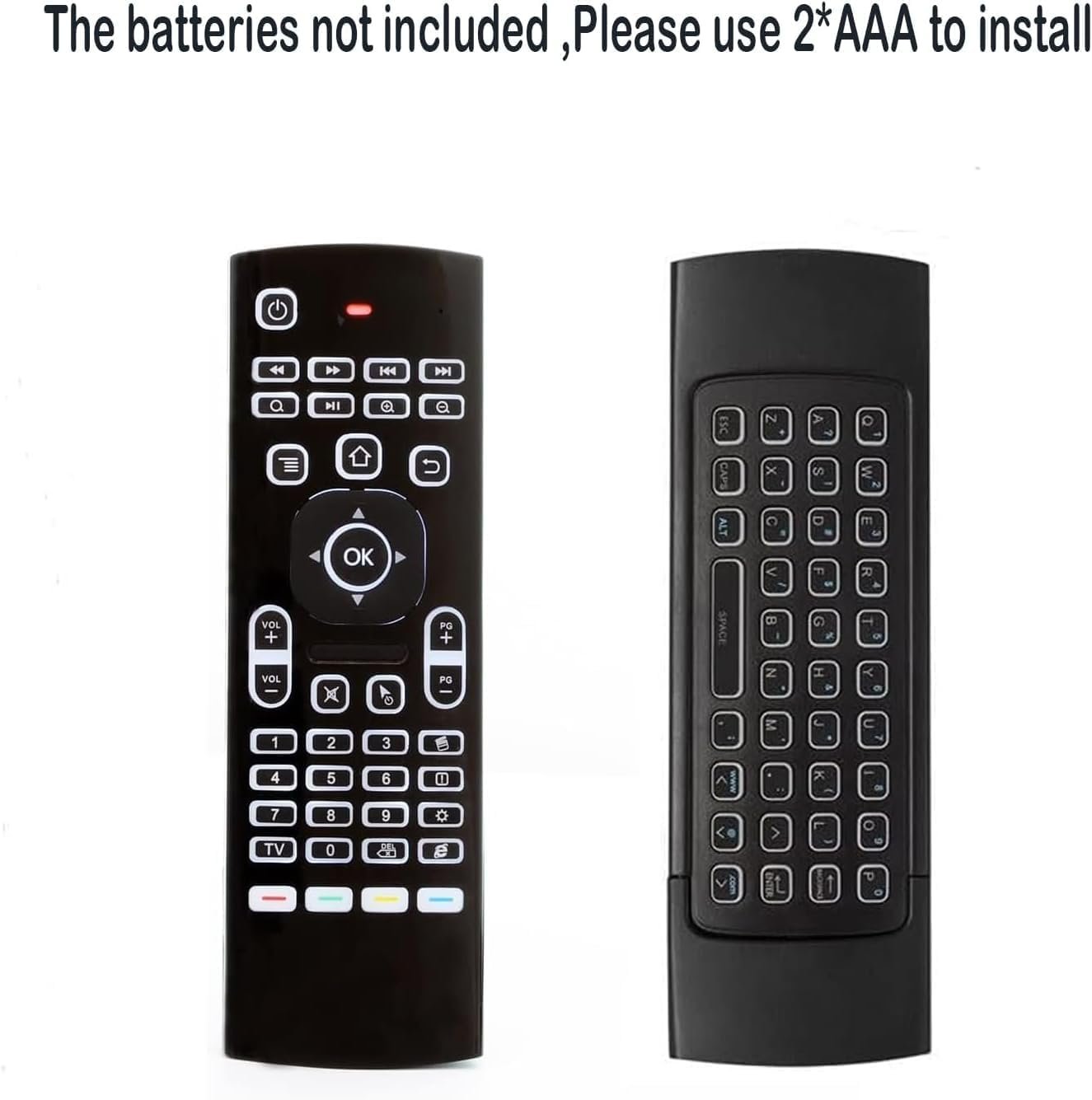

2 Pack MX3 Pro Mini Keyboard Backlight Fly Remote Mouse,Android TV Remote Control,IR Learning Mini Wireless Keyboard for Android TV Box.HTPC.IPTV,Networked Set-top Box,Mini PC(Battery not Included)
Original price was: $39.99.$16.99Current price is: $16.99.
Price: $39.99 - $16.99
(as of Jun 29, 2025 18:11:28 UTC – Details)
Product Description
Technical Specification: 1) Transmission and control: 2.4 G RF wireless radio-frequency technique 2) Sensor: 3-Gyro + 3-Gsensor 3) The key number:81 keys 4) Control distance: 10m 5) Battery Type: AAA*2 (Not included in the product package) IR learning instruction: The remote has 5 IR learning keys that can be programmed to learn some basic functions of TV remote ,which are the POWER and 4 color buttons at the bottom of fly mouse . below steps are example of learning POWER ON/OFF functions from TV remote to fly mouse remote(standard version). 1.make sure the TV remote supports NEC protocol ,batteries are installed correctly,and red LED indicator is flashing while pressing any buttons; 2.Point the head(infrared emitter)of fly mouse remote and TV remote to each other ,and make sure the distance between them is less than 0.1 feet; 3.Press and hold the TV button on the fly mouse remote for 3-5 seconds,red LED indicator will flash very fast ,then release the TV button ,Red led indicator will become to flash slowly,means fly mouse remote enters into IR learning mode; 4.Press the Power button on the TV remote until the red LED indicator on the fly mouse remote keeps lighting on; 5.PrEss POWER or one of the 4 color buttons on the fly mouse remote ,Red led indicator will be flashing slowly again,which means learning succeed; 6.Press TV button on the fly mouse remote to exit IR learning mode .
Multifunctional fly Remote : 2.4G wireless Keyboard and Combo, 6-Axis Somatosensory and Infrared remote control.
Plug and Play: With 3-Gyro + 3-Gsensor, it’s more convenient to operate in horizontal and vertical mode for games and typing
Wireless remote keyboard with LED Backlight buttons, its much convenient for you to use in the pitch-dark night.
It Support Android TV Box, Android Smart TV, Projector, HTPC, All-in-one PC,Xbox, Raspberry Pi, etc.
Up to 5 keys can be programed from your TV remote, it is much easier for you to control both TV and Android TV Box with one remote.
Customers say
Customers find the remote control works well with Windows 10/11 and Linux, and appreciate its illuminated back lights and good value. The buttons and ease of use receive mixed feedback, with some finding it easy to use while others report responsiveness issues. The mouse movement and build quality also get mixed reviews, with some praising its performance while others find it low quality.
6 reviews for 2 Pack MX3 Pro Mini Keyboard Backlight Fly Remote Mouse,Android TV Remote Control,IR Learning Mini Wireless Keyboard for Android TV Box.HTPC.IPTV,Networked Set-top Box,Mini PC(Battery not Included)
Related products


Hisense 100-Inch Class U8 Series Mini-LED ULED 4K UHD Google Smart TV (100U8K) – QLED, 480 Motion Rate, 144Hz Game Mode Pro, Dolby Vision IQ, HDMI 2.1, Alexa Compatibility, 2.1.2 Multi-Channel Audio
In stock
INSIGNIA 70-inch Class F50 Series LED 4K UHD Smart Fire TV with Alexa Voice Remote (NS-70F501NA25)
In stock

LG 55-Inch Class UT75 Series LED Smart TV 4K Processor Flat Screen AI-Powered with Alexa Built-in (55UT7570PUB, 2024)
In stock

LG QNED85 Series 86-Inch Class QNED Mini-LED Smart TV 86QNED85UQA, 2022 – AI-Powered 4K , Alexa Built-In, Grey
In stock


TCL 50-Inch Class S4 4K LED Smart TV with Roku TV (50S450R, 2023 – Model), Dolby Vision, HDR, Dolby Atmos, Works with Alexa, Google Assistant and Apple HomeKit Compatibility, Streaming UHD Television
In stock

TCL 55-Inch Class S5 UHD 4K LED Smart TV with Fire TV (55S551F, 2024 Model), Dolby Vision, HDR PRO+, Dolby Atmos, Alexa Built-in with Voice Remote, Apple AirPlay 2 Compatibility, Streaming Television
In stock


heartoD –
The HTPC remote you’ve been looking for.
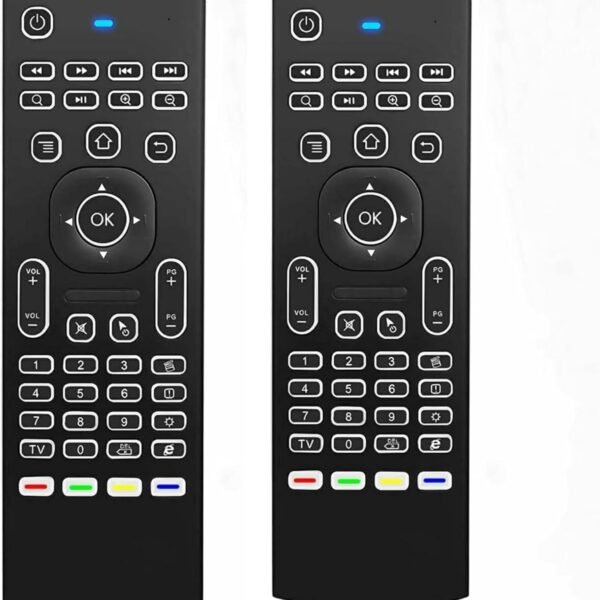
I bought (and then got 2 additional through Amazon Vine) the MX3 Pro Remote to use with my Home Theater PC, in particular, I needed a remote that would work with Plex, turn my 2016 Samsung TV on/off, and change inputs/volume of my surround sound system. The MX3 Pro did everything I needed it to with ease. I was able to set everything up in about 20 minutes after opening the box, and that included reading the instructions and playing with all the different buttons.I was able to set the power button to turn off/on the TV, and the four customizable color buttons at the bottom of the remote worked flawlessly for my surround sound. For my use case, I use 2 of the buttons for volume, one for power, and the other as a source/input button.For Plex users, many of the other remotes and controllers have syncing issues with Plex HTPC that cause errors or are ignored by Plex HTPC altogether, looking at you Xbox controller users, BUT this remote worked on Plex right out of the box with no setup once so ever!For the first time since using Plex HTPC my partner can also just grab the remote and use our living room TV without getting confused by the 3 different remotes and unique start-up procedures that we once had to deal with. The remote is so easy to use that even a child could use my complex Plex HTPC setup. This took my clunky niche hobby and made it approachable for anyone who comes over to use my home theater for only $10??? How did I not know about this until now?Next, the buttons themselves. The illuminated back lights also make all the difference in our dark living room “theater”. Even better, it only illuminates the side that is face up and only after you press a button, so it saves on battery life while still being ready to use at any moment. My stock surround sound remote has almost 50 buttons on it and none of them are illuminated. Finding the right one in the dark has been a problem since we bought it, but thanks to the MX3 Pro, there’s no more fumbling in the dark. It was not uncommon in the past for me to try to turn the sound up and accidentally change inputs or other settings, much to the chagrin of my partner.I also love being able to flip the remote over and quickly type in search bars. The navigational layout also feels natural and easy to use. You have to press the buttons quite firmly for them to register. I believe this was intentional so you don’t accidentally hit buttons. Additionally, I noticed the buttons on the upright side are the only ones that work, so you can’t accidentally hit the buttons on the bottom of the remote when trying to use it.The only con is the range of the air mouse function. It works great from about 10 feet away, but beyond that, it’s very jumpy and difficult to use. I will likely only use this feature occasionally, so it is not a big deal to me, but if you are picturing yourself lying in bed with a TV on the other side of the room, I don’t think you will be satisfied with it. There is a button on the remote if you want to disable it so the cursor isn’t scrolling all over the screen. I did try using a USB port extension and mounting the dongle on top of the TV, which helped significantly, but a cable did not come with the kit, and I don’t think this would be done in a typical install.All in all, I’d highly recommend this remote for anyone trying to get a smoother experience out of their Home Theater PC. The only thing I would change is a longer-range antenna for the USB dongle so the Air Mouse works better and I’d love even more of the programmable buttons.For the price, you really can’t beat it. I am legitimately surprised this remote is only $10.
R.K. –
Lots of buttons, but a weird layout. Works fine as a home automation remote.
I tried this remote for home automation. It worked fine. Buttons have a good feel, and there are lots of them. It seems the buttons meant for IR learning cannot be used for bluetooth functions. So, some of the buttons are unavailable for bluetooth mapping.The media control buttons have a terrible layout. I’m sure I’d get used to the layout, but it’s just weird for the sake of saving a bit of space / cost.
rondis –
Easy to use and setup. Works flawlessly
I have a remote PC in a rack. I can view it from any room in my house through the TVs. I needed a way to control it. This works great! It connects every time and is very easy to use. You have to get used to air mousing, but you’ll get used to it. They keyboard side is excellent as well.I tried a different brand before this one, and didn’t quite like it. This one is backlit too. If you’re looking for an air mouse and keyboard, look no further.
Ashley Holcomb –
durable budget purchase
this remote overall is easy to use, plug the receiver into the usb port and put a couple batteries in the remote and it hooks right up. wish it had more than three programmable buttons for the tv portion of it, but i guess being able to program three buttons to the tv is a bonus in itself. keyboards and remote controls both alike do not have a long life expectancy in my shop, but i feel this one will last longer than most. it fits well in my hand, the only draw back i have found is when the back light is on i cannot read the special characters on the buttons on the key board side and the button to control the back light is on the “remote” side of the controller. so if im entering in an email and its not light enough in my office i have to flip the controller back over to hit the button to turn the back light off so i can find the “@” symbol. overall it functions well and does what it is supposed to. for the money, cant complain.
Anthony –
Easy set up
Why did you pick this product vs others?:I like the fact it had a keyboard on the back and it lights up but had to get it replaced after only a week because it stopped working new 1 came and works fine
romwell –
Great! Wishing it had a standard PC keyboard 🙂
First things first: everything they say in the product description is correct; the device works as described, and is usable as both mouse and keyboard from the couch. The mouse cursor tracking is as good as (if not better than) the Wii remote, but uses only gyroscopes and accelerometers without the need for setup or any external hardware. The precision is sufficient to us the on-screen keyboard comfortably in Windows; in fact, I’m typing this review that way.The layout is well thought-out; and the option to stop/resume cursor tracking with a single button allows you to always have a comfortable wrist angle and avoid fatigue, as the remote does not have to point at the cursor. The motion is relative, as with a regular mouse. And if it drifts away too far, getting it back is as easy as lifting the mouse from the pad while moving it.The keyboard is good, and the backlight is welcome. My only wish is that it had a Ctrl/Alt/Shift buttons. Instead, there’s Caps Lock. Not that much difference for typing, but some keyboard shortcuts are unavailable – notably, Alt+Shift to switch input languages.If I could have a wish, it’d be for a more standard keyboard. And maybe a scroll wheel.Conveniently placed PgUp/PgDn buttons do make up for it though.The remote knows which side is up, and disables the other side.It’s so fun and comfortable to use, I forget I’m using it – I can focus solely on whatever I’m doing on the screen. That’s the first time I’m feeling this comfortable using a PC from the couch.