







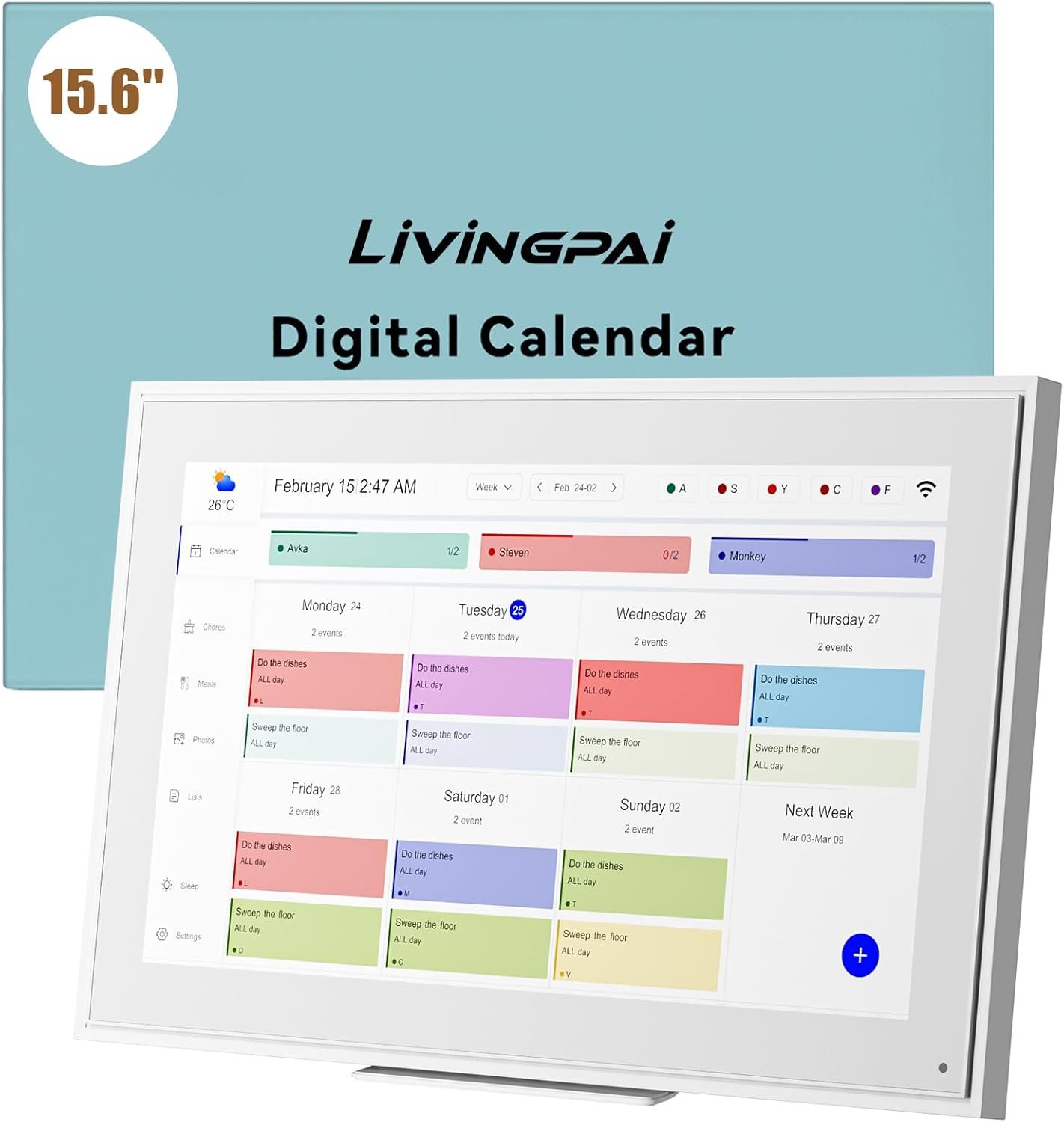






15.6-inch Wall Digital Calendar,2025 Smart WiFi Calendar & Chore Chart,Full HD Touchscreen Interactive Display for Family Schedules-Wall/Desk Mountable Planner,Meeting Reminders & Deadline Tracking
Original price was: $299.99.$249.99Current price is: $249.99.
Price: $299.99 - $249.99
(as of Jul 27, 2025 21:49:40 UTC – Details)
Product Description
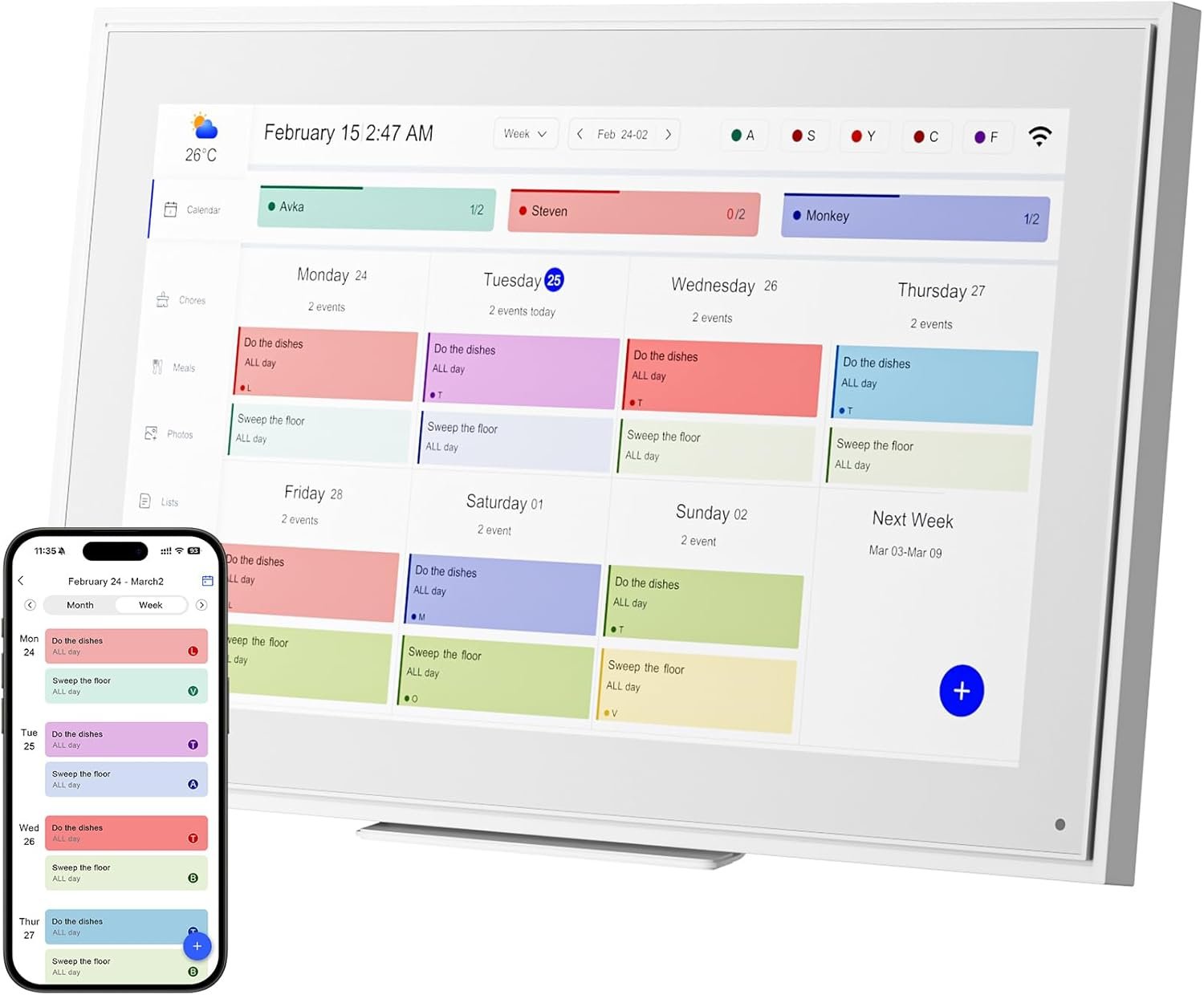
Ultimate Smart Wall Planner Calendar-Seamless Event Syncing
Personalize List -Color Code/Tag Names Turn on Sleep Mode – Please Set The Time First Easy to Sync-On The Same Page Mount- Horizontally/Vertically
1 Customize Alarm Reminder
2 Smart Sleep Mode
3 App Send Photos & Videos
4 Smartphone APP Syncing
5 Multiple Scenes
Impressive Features-Personalization Design
Perfect Gift for You Lover
User Guide: Operating Videos How to register an account and log in ?
step1:Turn on your eCalendar, select language, connect to wifi
step2:choose the time zone and city,then enter your 6-digit activation code to get started.
The video showcases the product in use.The video guides you through product setup.The video compares multiple products.The video shows the product being unpacked. How to register an account and log in Merchant Video
The video showcases the product in use.The video guides you through product setup.The video compares multiple products.The video shows the product being unpacked. How to edit Chores Merchant Video
How to edit Chores ?
Step 1:Press “+”button in the bottom right of the Chores screen to add a chore.
Step 2:Name the chore and assign it to as many members of the family as you would like.This will create a separate chore for each member.
Step 3:Press Save and your chores will be created.
Notice:If you want the chore to happen every day, week, or month, toggle on Repeats.
How to edit Lists ?
step1:Tap the Lists icon in the sidebar to open lists.
step2:Tap the arrow next to the list name, such as Shopping List.
step3:Press +New List, Enter the new list name and choose a color and list type.
step4:Tap a list, and add items.
The video showcases the product in use.The video guides you through product setup.The video compares multiple products.The video shows the product being unpacked. Touch Digital Calendar Merchant Video
The video showcases the product in use.The video guides you through product setup.The video compares multiple products.The video shows the product being unpacked. post photos Merchant Video
How to post photos ?
step 1:Click on the photo option on the eCakendar App page
step 2:Select a photo on your phone
step 3:Enter the calendaremail address
How to synchronize the calendar ?
Notice:Syncing can only be done through the app.
step1:Open Sync in the home screen.
step2:Select “Sync a New Calendar”.
When you sync a source calendar (like Google, iCloud, Outlook) with eCalendar any changes on your source calendar will automatically show up on the digital calendar.
The video showcases the product in use.The video guides you through product setup.The video compares multiple products.The video shows the product being unpacked. How to synchronize the calendar Merchant Video
The video showcases the product in use.The video guides you through product setup.The video compares multiple products.The video shows the product being unpacked. How to set the alarm clock in sleep mode Merchant Video
How to set the alarm clock in sleep mode ?
step 1:Tap the moon icon located in the bottom of the sidebar.
step 2:Toggle on Sleep Mode Schedule and choose a time for your Calendar to go to sleep and to wake up. Press Save to confirm.
Notice:When your Calendar is in Sleep Mode, you can tap the power button at any time to wake the device up.
Lists-Personalize Color Code
Customize your calendar-just touch you screen with colors and unique tag names.
Download Free APP eCalendar-Daily Planner
App Access-Simple setup – automatic synchronization
✔️𝐀𝐥𝐥-𝐈𝐧-𝐎𝐧𝐞 𝐒𝐦𝐚𝐫𝐭 𝐅𝐚𝐦𝐢𝐥𝐲 𝐂𝐚𝐥𝐞𝐧𝐝𝐚𝐫: WiFi-connected touch digital calendar combined with a digital planner ,the crystal-clear 15.6″ FHD touchscreen with chore chart and to do list notepad, generates the whole new calendar, which makes your family organized and stays every schedule on track. Assign unique colors and chores to each family member,making family scheduling simpler and more intuitive.Ideal gift for students,mom,lover,grandparents,parter,colleague,professionals, and families..
✔️𝐈𝐦𝐩𝐫𝐞𝐬𝐬𝐢𝐯𝐞 𝐅𝐞𝐚𝐭𝐮𝐫𝐞𝐬 & 𝐄𝐚𝐬𝐲 𝐭𝐨 𝐒𝐞𝐭-𝐔𝐩/𝐀𝐮𝐭𝐨-𝐒𝐲𝐧𝐜:Seamless calendar synchronization,Just plug in the device, connect to Wi-Fi and sync your calendars.all your events will automatically populate and sync. Add events or chores directly on the device or use the free to download mobile app.ensuring your family stays organized and no tasks are missed. Compatible with icloud Calendar, Google Calendar, Outlook Calendar, Cozi, and Yahoo,easying management and sharing of your schedule across all your devices.Authorize additional devices for even greater convenience.
✔️𝟏𝟓.𝟔 𝐈𝐧𝐜𝐡 𝐈𝐏𝐒 𝐇𝐃 𝐓𝐨𝐮𝐜𝐡𝐒𝐜𝐫𝐞𝐞𝐧 𝐃𝐢𝐬𝐩𝐥𝐚𝐲:The 15.6” WiFi digital picture frame is featured with a high-quality HD 1980*1080 Resolution IPS touch screen which allows you to get a wonderful picture visual from any angle. Perfect for displaying your family calendar and photos in high resolution.,Whether you’re checking schedules, managing household chores, or viewing photos, everything is displayed with outstanding visual quality, enhancing the overall user experience.Customizable color-coding and adjustable fonts ensure readability for all ages- ideal for grandpa’s/grandma’s clear viewing.
✔️𝐈𝐧𝐭𝐞𝐫𝐚𝐜𝐭𝐢𝐯𝐞 𝐂𝐡𝐨𝐫𝐞 𝐂𝐡𝐚𝐫𝐭 𝐚𝐧𝐝 𝐌𝐞𝐚𝐥 𝐏𝐥𝐚𝐧𝐧𝐢𝐧𝐠:Compatible with a free downloadable mobile app, you can conveniently add, edit, and manage activities, chores, and meal plans from your phone. This seamless mobile synchronization allows you to update and view your family calendar anytime, anywhere, enhancing flexibility and convenience. It’s highly functional for families with busy schedules, making remembering and managing multiple activities easier.
✔️𝐌𝐚𝐧𝐚𝐠𝐞 𝐟𝐫𝐨𝐦 𝐀𝐧𝐲𝐰𝐡𝐞𝐫𝐞 & 𝐒𝐭𝐚𝐲 𝐂𝐨𝐧𝐧𝐞𝐜𝐭𝐞𝐝 𝐰𝐢𝐭𝐡 𝐟𝐚𝐦𝐢𝐥𝐲 𝐦𝐞𝐦𝐛𝐞𝐫𝐬:Stay connected with the powerful eCalendar App. Access and manage your calendar on the go, with free features like a photo frame, chore chart, dinner plan, grocery list, and more. OnesInstantly update your life moments and send instant or timed wishes to the photo frame at any time anywhere. Stay connected with family, especially for those who live in a distance. It helps to stay close to your family members, it is a perfect gift for the elder to feel connected with the young generation.
✔️𝐏𝐞𝐫𝐟𝐞𝐜𝐭 𝐆𝐢𝐟𝐭: Perfect gift for Mother’s Day, Father’s Day, Valentine’s Day, Thanksgiving, Christmas, Wedding, Birthday and so on. It has multi-functions, such as photos/videos, sleep mode, adjustable brightness. Customize your digital wall calendar touch screen with colors and unique tag names.Share your calendar with friends, family, or colleagues and coordinate plans effortlessly. Can view and edit the calendar the same time, Support permission classification, Assign tasks to multiple person and track project progress.With a removable stand, you can place it in both landscape and portrait mode. The wall mount hole on the back also allows users to mount it to the wall.
✔️𝐁𝐞𝐬𝐭 𝐂𝐮𝐬𝐭𝐨𝐦𝐞𝐫𝐬 𝐒𝐞𝐫𝐯𝐢𝐜𝐞𝐬 & 𝟏𝟎𝟎% 𝐍𝐨𝐧𝐞-𝐖𝐨𝐫𝐫𝐲 𝐖𝐚𝐫𝐫𝐚𝐧𝐭𝐲: We provide a one-year warranty service and 24-hour online customer services for assisting you with any needs. If you encounter any problem, please feel welcome to tell us on Amazon, we definitely give you a satisfactory solution.
Customers say
Customers find the digital calendar easy to set up and appreciate its functionality as a family organizer. The display quality receives positive feedback for its crisp 1080P resolution and good lighting, while the screen size is praised for being very big. Moreover, customers like the calendar’s ability to sync with Google calendars and appreciate its meal planning features, with one customer noting how it makes meal planning easier.
5 reviews for 15.6-inch Wall Digital Calendar,2025 Smart WiFi Calendar & Chore Chart,Full HD Touchscreen Interactive Display for Family Schedules-Wall/Desk Mountable Planner,Meeting Reminders & Deadline Tracking
Related products

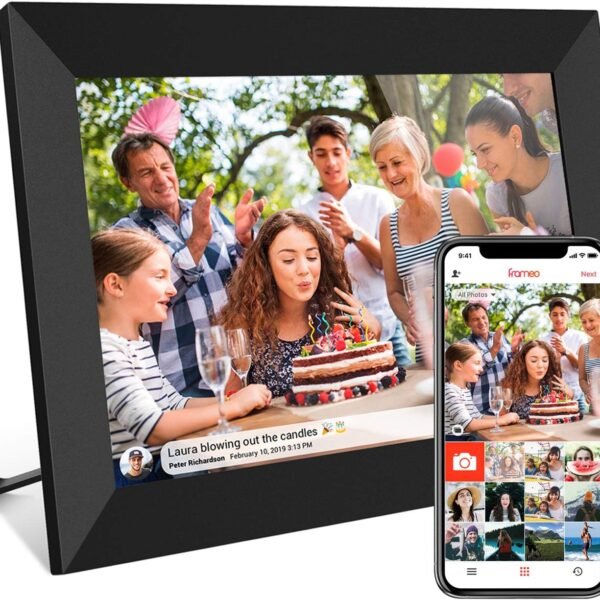
32GB FRAMEO 10.1 Inch Smart WiFi Digital Photo Frame 1280×800 IPS LCD Touch Screen, Auto-Rotate Portrait and Landscape, Built in 32GB Memory, Share Moments Instantly via Frameo App from Anywhere
In stock

4 Pack Smart Home 2.4GHz WiFI Dimmer Light Switch-Alexa, Google Home Compatible
In stock



I16 PROMAX Unlocked Phone,8+256GB Smartphone, Android 13.0, Long Battery Life 7000mAh,6.99″ Display 68+108MP Zoom Camera,with Dual SIM, Fingerprint Lock, Face ID, 5G Phone (White)
In stock


TCL 65-Inch QM85 QLED 4K Smart QD-Mini LED TV with Google TV (65QM851G, 2024 Model) Dolby Vision IQ HDR, Dolby Atmos, Game Accelerator up to 240Hz, Voice Remote, Works with Alexa, Streaming Television
In stock


Nicholas T. –
The Family Command Center You Didn’t Know You Needed
Trying to keep a household of five on the same page used to feel like herding cats—until we brought home this smart digital calendar. From its crisp 15.6-inch touchscreen to the intuitive chore chart and meal planning features, this device turned family chaos into coordinated calm. It’s not just a calendar; it’s a visual hub that keeps everyone aligned without sticky notes or missed appointments.What really impressed me was how easy it was to set up. We connected it to WiFi, synced our Google and Outlook calendars, and boom—our entire week’s schedule appeared in minutes. I can add events directly on the screen or from my phone using the app, which makes on-the-go updates a breeze. And assigning different colors to each family member? Genius. Now my kids actually check their chores without me having to nag.The screen quality is a standout too. Whether we’re reviewing the calendar, scrolling through meal plans, or sharing family photos, the full HD display is sharp and vibrant from every angle. My parents even commented on how easy it was to read—big plus for grandparents trying to stay in the loop.From syncing reminders to planning dinners, this smart calendar has become the heartbeat of our home. Whether you place it on a desk or mount it on the wall, it’s a sleek, practical upgrade that truly brings the family together. It also makes a thoughtful gift for busy households or tech-savvy grandparents who want to stay connected.
Ronald Sanchez –
Touchscreen Full HD Interactive Calendar Tablet for Family Scheduling
I’ve been using this calendar tablet for a few weeks now, and overall, it’s a game changer for keeping our busy family life organized. The Full HD touchscreen is bright, responsive, and easy to read from across the room, which makes it practical whether it’s wall-mounted in the kitchen or propped up on a desk.Pros:User Interface: The interface is clean and intuitive. Syncing Google Calendar or Outlook was straightforward, and the ability to color-code events by family member is a big plus.Build Quality: The tablet feels sturdy and well-made. It’s slim but solid, and the included wall mount was easy to install.Touchscreen Display: The Full HD resolution is crisp, and the touch response is snappy — not laggy like some budget tablets.Family-Friendly Features: You can add reminders, to-do lists, notes, and even recurring tasks. It helps keep everyone accountable, especially with kids’ school and activity schedules.Always-On Option: There’s an option to keep the screen on during set hours, which is great for constant visibility throughout the day.Cons:Limited App Functionality: While it handles calendar and scheduling well, it’s not a full Android tablet. You’re limited to the built-in apps or integrations — no YouTube, no browsing, etc. (which might be a pro for some families).Price Point: It’s a bit pricey for what it does. You’re paying for the convenience and interface more than raw hardware power.No Voice Assistant Integration: Surprisingly, it doesn’t integrate with Alexa or Google Assistant out of the box. That would’ve been nice for hands-free updates.Final Thoughts:If your family struggles to keep track of everyone’s schedules, this device is definitely worth considering. It does one thing — organize your lives — and it does it really well. Just be aware it’s not a general-use tablet and don’t expect full app store access. It’s best seen as a modern, digital command center for the home.
Alan C –
Great for family organization
This planner/calendar has completely changed how our family stays organized with all of our daily activities. The 15.6” touchscreen is sleek, responsive, and blends perfectly into our kitchen wall. With this planner/calendar we hope that there will be no more missed appointments—everything syncs seamlessly across Google, iCloud and Outlook within minutes.Here are the best features:✅ Effortless Syncing: Set-up took less than 5 minutes! Just plug it in, connect to Wi-Fi, and all our events auto-populated. The eCalendar app lets us add tasks or meals on the go.✅ Chore & Meal Planning Made Fun: The interactive chore chart (with color-coding!) has been a game-changer for our kids. They love checking off tasks, and we love no more “What’s for dinner?” chaos.✅ Versatile Display: We mounted it in portrait mode in our hallway, but the removable stand makes it just as stylish on a countertop. The HD screen is crisp, and brightness adjusts perfectly.✅ Perfect Gift: Seriously—this would make an amazing housewarming, Christmas, or Mother’s Day gift. The photo/video slideshow feature adds a personal touch.Final Verdict: If you’re juggling family schedules, chores, and meal plans, this digital calendar is worth every penny. It’s modern, intuitive, and cuts the clutter—no more paper calendars!
Jeremy S –
Must have for busy families
I recently added a digital calendar frame to my home, and it has been a fantastic upgrade for organizing our busy schedules. The setup was quick and straightforward, and I was able to sync all our calendars—work, personal, and even shared family events—in just a few minutes. The real-time updates mean any changes we make on our phones or computers instantly show up on the frame, so everyone always knows what’s coming up.I love the customizable views and layouts; whether I want to see the day, week, or month at a glance, it’s all just a tap away. The frame also doubles as a photo display when not showing the calendar, which adds a nice personal touch to our living space. Features like reminders, to-do lists, and weather updates make it even more useful for daily planning.Overall, the digital calendar frame has made managing our family’s activities much easier and more efficient. It’s visually appealing, easy to use, and keeps everyone on the same page—highly recommended for anyone looking to streamline their schedule and reduce household chaos
Amazon reviewer –
The LiviNGPAi digital wall planner is a blessing to many of us who juggle complicated overlapping schedules. At a glance, you can see what’s upcoming and who is doing what where. :-)You can add items via the app or have them automatically import from your other digital calendars. The app seems stable and robust, and the iPhone app works well.The large 40cm screen is HD and easy to read across a room, and large enough to show loads of data. My phone pictures don’t capture the sharpness and clarity of the screen. It’s a touchscreen so that you can drill into an event with just a tap. Unlike other tablets in this price range, the LiviNGPAi is quick and responsive to touch or scrolling.Users are colour-coded, so it is easy to isolate. The screen can be mounted in landscape or portrait mode.There is basic project tracking and task management built into the app, which, like the screen, is simple and easy to read.Set up was easy, even for me, a boomer who is technology challenged. It connected to my wifi with a tap, and I added our calendars from Google and Apple with a few clicks. The step-by-step instructions walked me through the process. (I require a high level of hand-holding setting up digital stuff. )A solid metal stand is included to use your calendar on a table, and there is a wall mount as well. I plan to wall mount the unit in my entryway for easy access.The backlit screen can be set for sleep time if you keep it in your bedroom.Some have commented that this is not a full Android tablet with access to features. That’s a plus for me. I like the pared-down responsiveness of the LiviNGPAi. It has one job: to keep your crew organized, and it does it well. There’s nothing wrong with being a one-trick pony. 🙂 You can stream pictures, but after checking to see if this worked, I didn’t use it. This is a calendar, not an iPad.What would I change? The only things that would make the LiviNGPAi even cooler would be a magnetic option to install it on my kitchen fridge and an option to run it via a built-in rechargeable battery. And I would have appreciated a longer cord for wall mounting. One metre is short for wall mounting, and I would have preferred the versatility of a two-meter cord.The LiviNGPAi is well packed in foam and arrived in perfect condition. Everything you need to mount the unit is included in the box.The LiviNGPAi is a stress buster for anyone spinning plates and trying to stay informed and ahead of upcoming events. Highly recommended.